Data Ownership
How Clarus stores your documents
Your content is at the heart of everything we do, and you completely own it. Unlike some tools that keep your writing locked inside their platform, Clarus believes in giving you full control. This means your documents are saved as plain, standard Markdown files.
This isn’t just a technical detail – it’s a commitment. You’re not building inside Clarus; you’re building with text files that are universally compatible.
Front matter and metadata
Each document begins with YAML front matter. This section, placed at the very top of your file, lets you define useful metadata about your content. Metadata helps with organization, searching, and future compatibility.
Here’s a typical example:
---
title: My Post
date: 2024-01-15
tags: [writing, productivity]
---

Your document content goes here.
You can customize this section to suit your needs. The title, date, and tags are just examples. These details are easily accessible through our dedicated Front Matter view, which you can toggle on and off alongside our standard Raw Markdown view directly inside the application. This gives you both a clear presentation and full control of the underlying source.
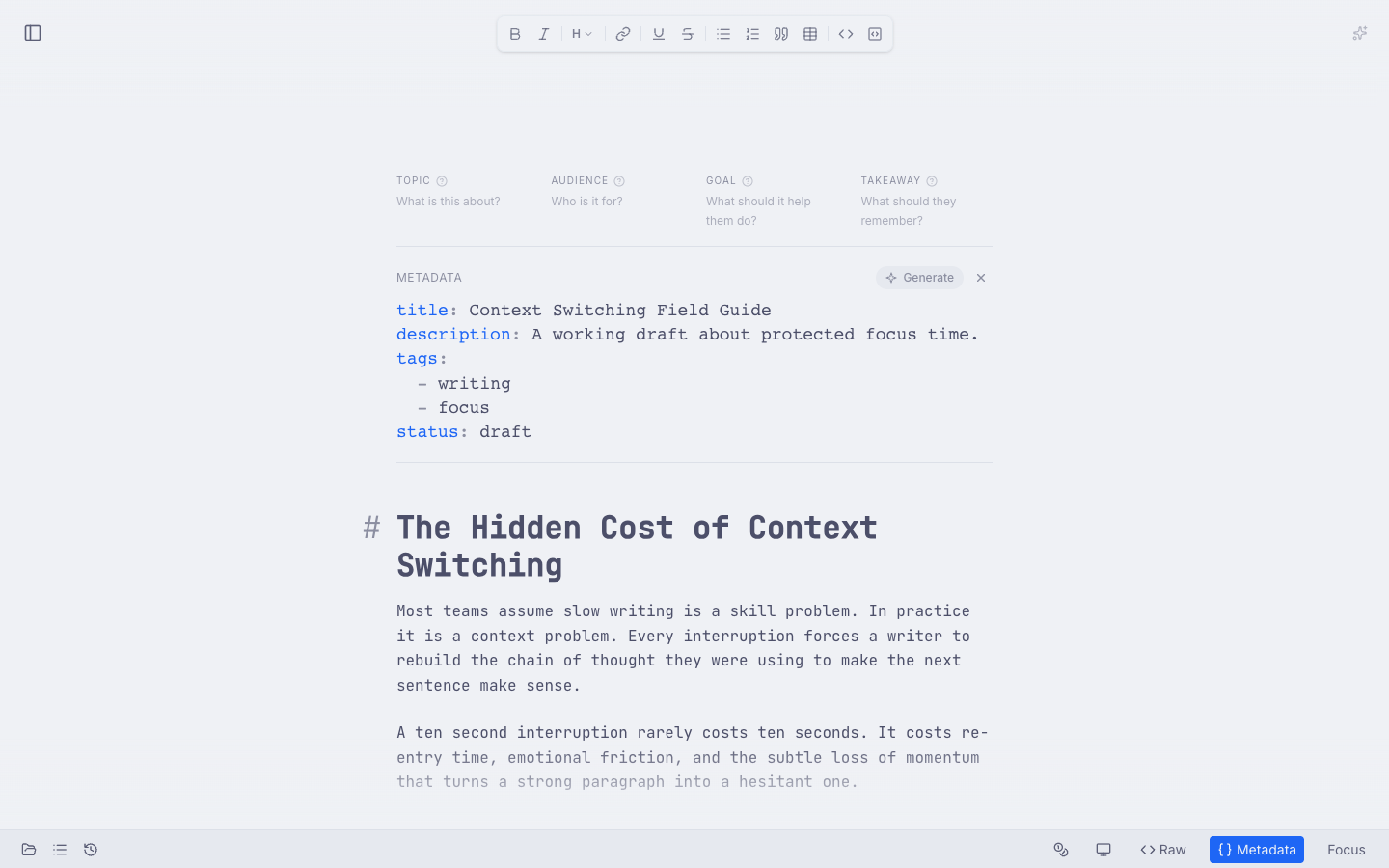
Front matter is visible directly in the editor when you switch to the metadata view.
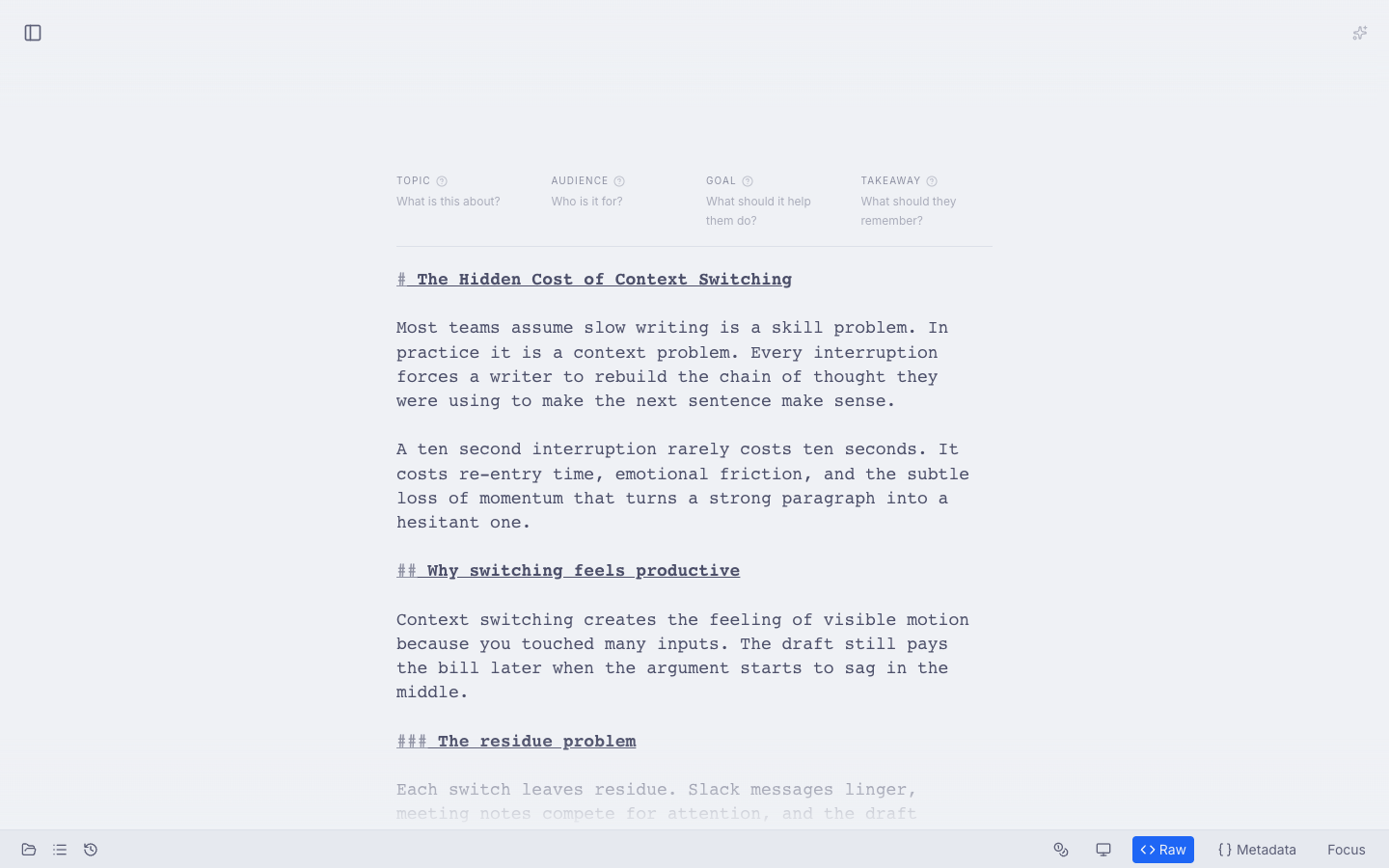
Raw mode exposes the underlying Markdown so you can inspect or edit the source directly.
Exporting your documents (ZIP download)
Need to archive your work or migrate it elsewhere? It’s simple. You can download a ZIP export from the documents sidebar. Hover a project row and use the download icon to export the Markdown files collected under that project.
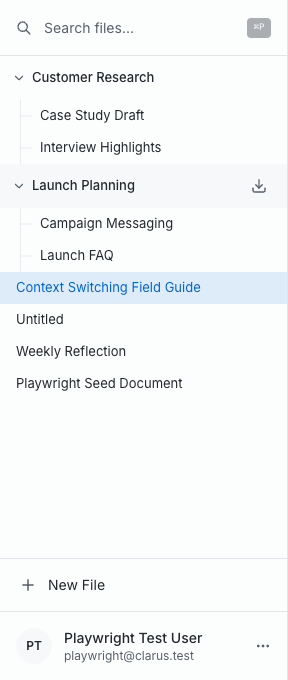
Project download is exposed directly in the sidebar, which makes exporting a backup quick and visible.
Where your documents work
Because your content is written in universally compatible Markdown, you’re not restricted to only using it within Clarus. Your files are truly portable. You can easily integrate your content with these popular platforms:
- Astro
- Gatsby
- Jekyll
- Hugo
- Next.js
- Eleventy
- VuePress
- Hexo
- Nuxt
- Gridsome
- Zola
- Pelican
And countless others! Any tool that supports standard Markdown will happily accept your content.
What happens if you cancel
We understand that things change. If you choose to cancel your subscription, your access to the application will end. However, canceling does not lock you out of your writing. You'll always have full ownership and access to your exported Markdown files.
We intentionally built it this way. Your ideas, your content, should always stay with you.